Shared Agents
Turn one agent into a public link or a website chat widget that people without a login can talk to.
On this page
A Shared Agent is one of your K-Agents published as a public link or as a chat widget on your own website, so a person with no Kareenos login can talk to it.
Where to find it
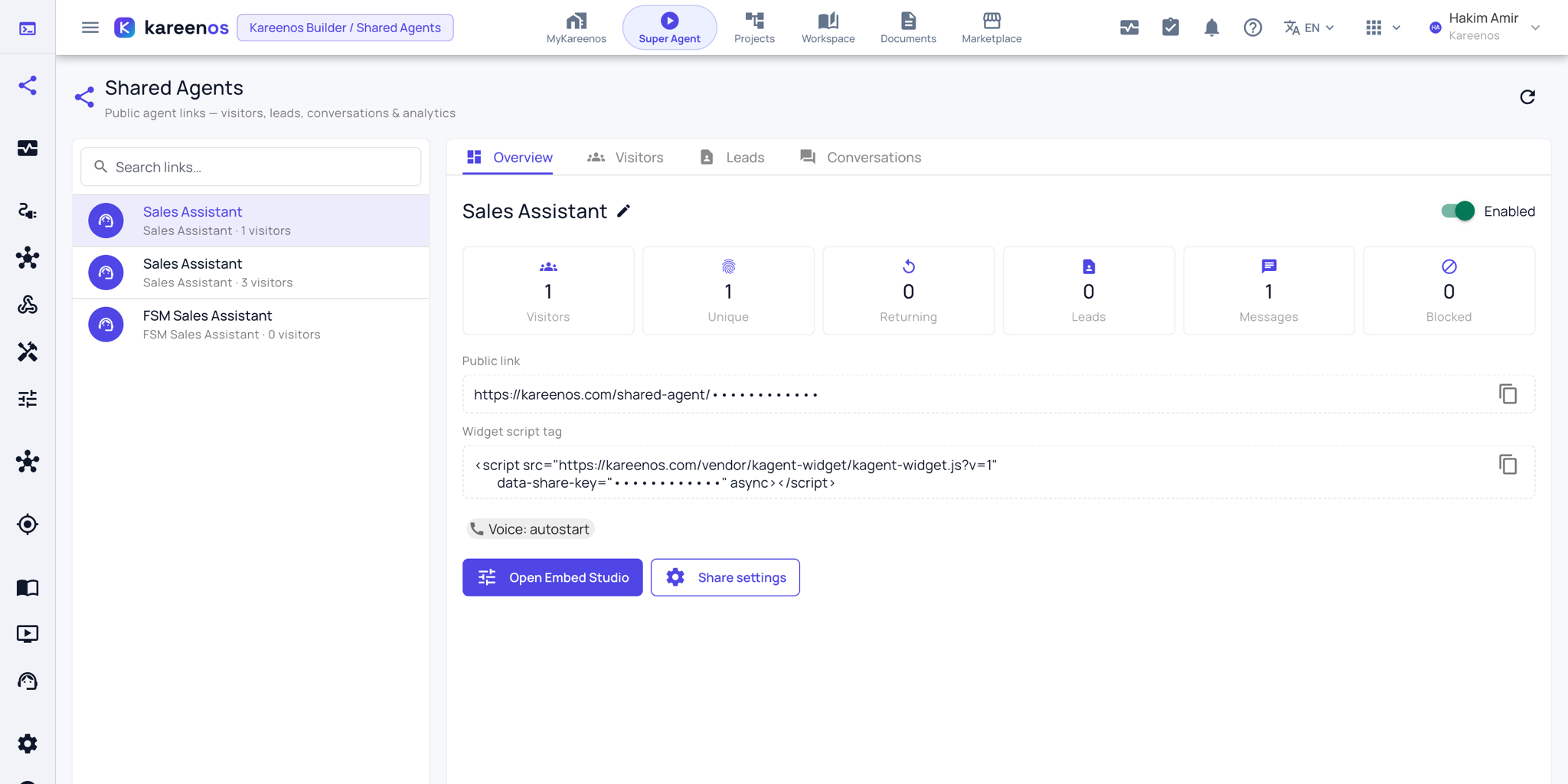
Press Open in Kareenos above, or open the left menu and choose Workspace, Shared Agents. The console is for builders with edit rights. The share itself is created from the agent: the share button at the top of the K Agent Runner opens the share dialog for the agent you have selected.
When to use it
Put a lead-capture assistant on your website. Send a prospect or an investor a link to an agent that answers questions about your work. Print a QR code for a branch or a delivery van so a customer can reach the right assistant without installing anything.
Step by step: publishing an agent
- Open the K Agent Runner, select the agent, and press the share button in the top bar to create a share for it.
- Open Shared Agents and select the share. Press Share settings and set the limits: an expiry date, a message cap per visitor, and an optional passcode.
- Decide what the agent collects from a visitor (name, email, phone) and whether voice conversation is available.
- Press Open Embed Studio. It opens in a new tab, where you set the appearance: colours, the launcher button, wording and your own branding, and where the Install tab gives you the snippet for your website.
- Copy either the public link (the copy button beside it) or the website snippet.
- Watch the Visitors, Leads and Conversations tabs as people arrive.
Watching who arrives
The console shows visits, the countries and devices they came from, the contact details captured (exportable to a spreadsheet file from the Leads tab), and the full transcript of every conversation. If someone abuses the agent you can block them from that same list.
Careful
Public conversations run on your account and spend your credit balance. Always set a message cap per visitor before you publish a link, and set an expiry on anything you send to one person.
Common mistakes
- Publishing without a message cap, so one visitor can run up a large bill.
- Sharing an agent whose tools reach further than you intended: a public visitor uses whatever that agent was granted.
- Asking for too many contact details up front, which stops people starting the conversation at all.