K-Agent Sessions
A step-by-step recording of every agent run, including the invisible ones nobody was watching.
On this page
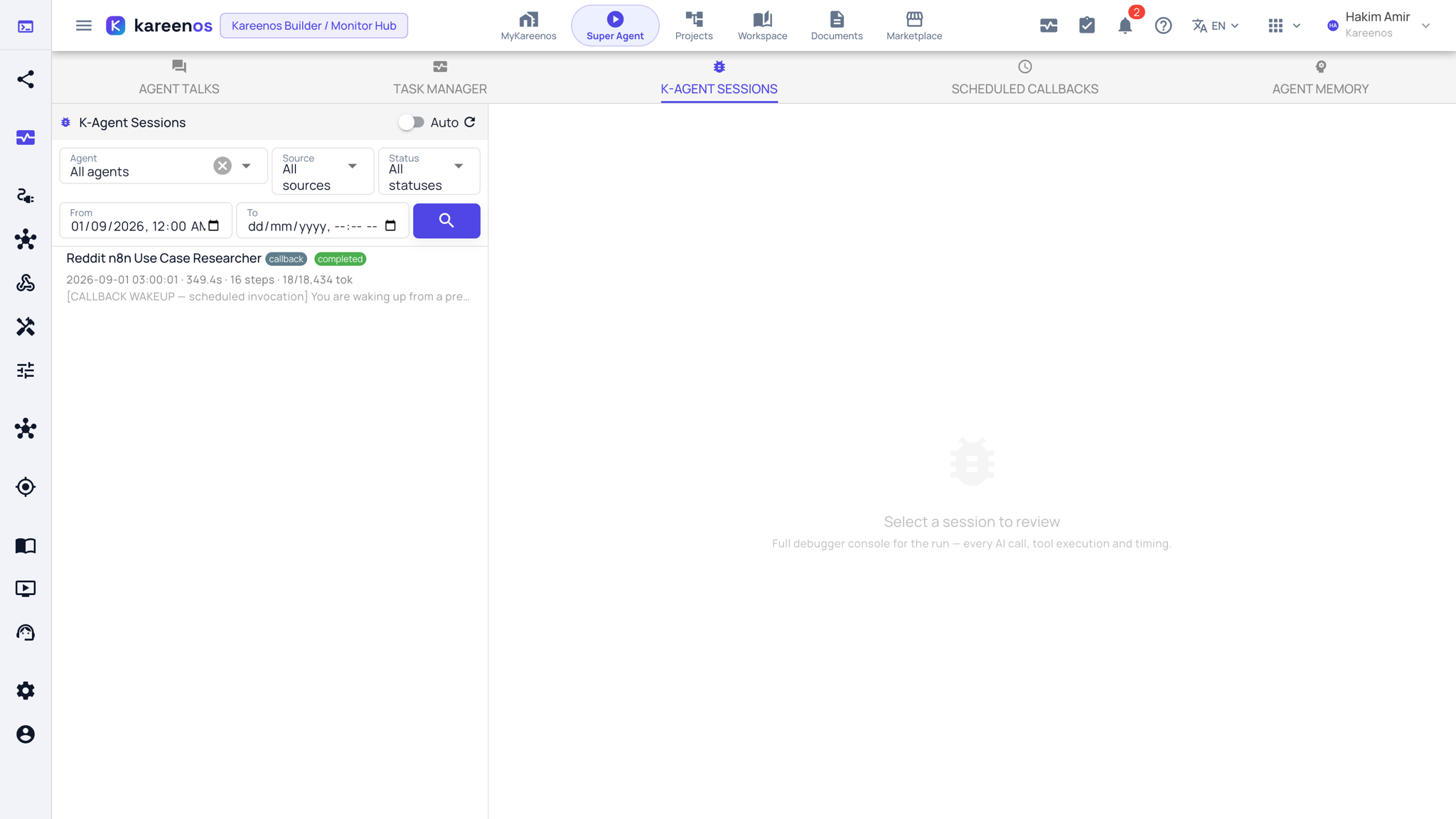
K-Agent Sessions is a recording of every agent run, including the ones nobody was watching.
Where to find it
Open the level menu at the top of the sidebar, choose Advanced, then K-Agent Sessions under Monitoring, or press Open in Kareenos above. Every builder can open it.
Why it exists
Most agent work is invisible. A run can be started by a Job, by an incoming message, by a Geofence crossing, by a Vision Manager capture, or by a schedule, and finish before anyone opens a screen. This page keeps a recording of each one so you can go back and ask why it did what it did.
What a recording contains
- The instructions the agent started with, and what triggered it
- Each step of its reasoning, in order
- Every tool it used, what it was given, what came back, and how long that took
- How the run ended: finished, stopped, or failed
Because the recording is written as the run happens, a run that died part way through can still be examined afterwards.
Step by step: reviewing a run
Open K-Agent Sessions and filter to the Agent, the Source (what started it) and the time in question, then press the search button.
Click the run you care about. Its console opens on the right, with the agent, the source and the outcome in the header, and a search box for the log.

Read the opening instructions first: most surprising behaviour is explained there.
Step through the run and find the point where it went in the wrong direction. Switch between Simple and Advanced to show more or less detail.
Look at the tool step at that point: the wrong tool, or the right tool with the wrong input.
Fix the cause (the instructions, the granted tools, or the data) rather than the symptom.
Tip
Work backwards from the last correct step, not forwards from the beginning. The first wrong step is almost always the whole answer.
Common mistakes
- Blaming the agent for a tool that returned nothing, when the underlying data was empty.
- Rewriting instructions after one bad run without checking whether the same thing happened before.
- Looking here to find out whether something ran at all. That is Task Manager.