MCP Servers
Connect external tool servers that speak the MCP standard and hand selected tools to your agents.
On this page
MCP is an open standard that lets a product publish its capabilities as tools other software can call. This page connects those servers to Kareenos and hands selected tools to your agents.
Where to find it
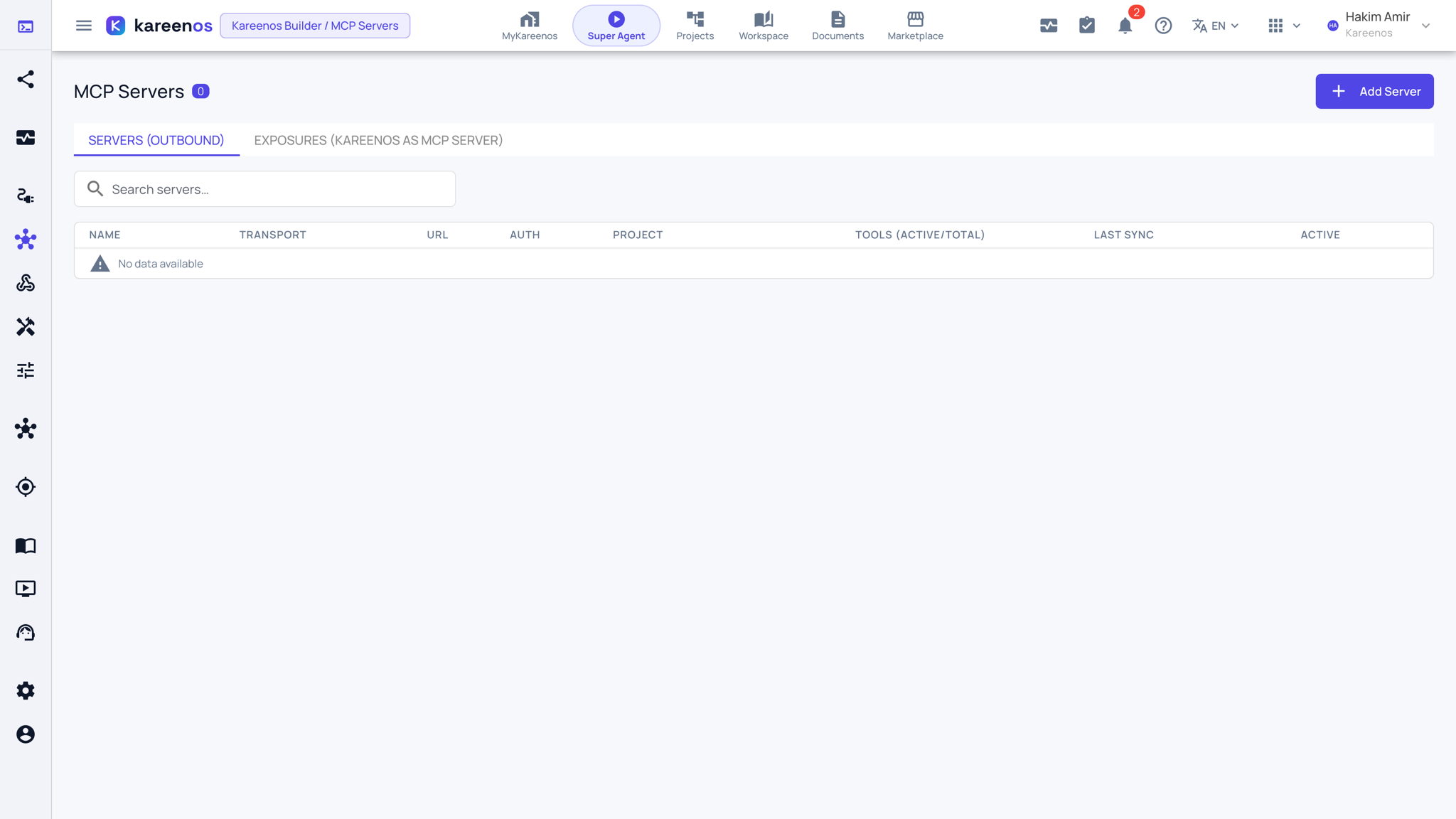
Press Open in Kareenos above, or open the left menu and choose Editors, MCP Servers. The page has two tabs: Servers (outbound), the servers your agents call, and Exposures, your own agents published as MCP tools. It needs edit rights, and registering a server is an administrator's job.
When to use it
Use it when a product you already pay for, or a system your own team runs, speaks MCP. Instead of rebuilding that capability, you connect the server once and grant the parts you want to the agents that need them.
Step by step: connecting a server
Open MCP Servers and press Add Server. A panel opens on the right.
Fill in the Server name, a Display name, the Project it belongs to, the Transport, the Server URL and the Auth type with the sign-in the server expects. The timeouts and limits below can stay at their defaults.
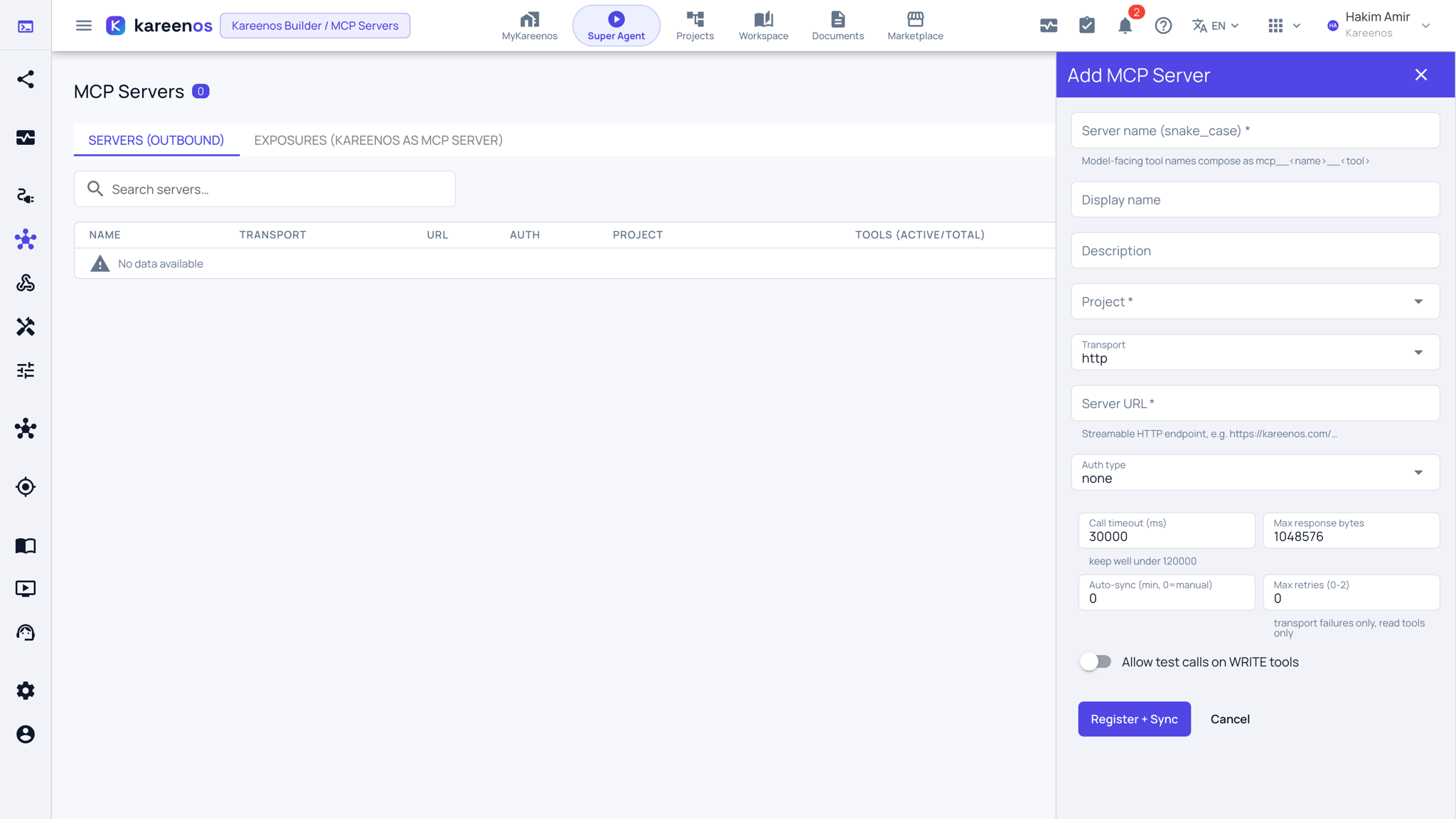
Press Register + Sync. The platform asks the server what tools it offers and lists them under the server.
Mark each tool read-only or write. Nothing is trusted from the server's own description here: this classification is yours.
Switch on only the tools that should be usable. Nothing is on by default.
Grant specific tools to specific K-Agents, and test a read-only tool from the page before anyone relies on it.
Publishing your own agents
The connection works in both directions. The Exposures tab publishes chosen K-Agents as MCP tools, so an outside system can call one of your agents the same way your agents call theirs.
Important
An agent can ask for a new server to be connected, and that request arrives for a person to approve. No agent can ever connect to a server on its own.
Common mistakes
- Classifying an unfamiliar tool as read-only to move faster. When in doubt, call it write.
- Granting every tool to every agent, which makes agent behaviour hard to predict and hard to review.
- Forgetting that a server's tool list can change over time, so it is worth re-checking what is switched on after the provider updates.