Subscription and credits
What the two credit balances mean, what spends them, and how to top up.
On this page
Two balances pay for what Kareenos does for you: SC and KC. They pay for two different things, and they are spent separately.
Where to find it
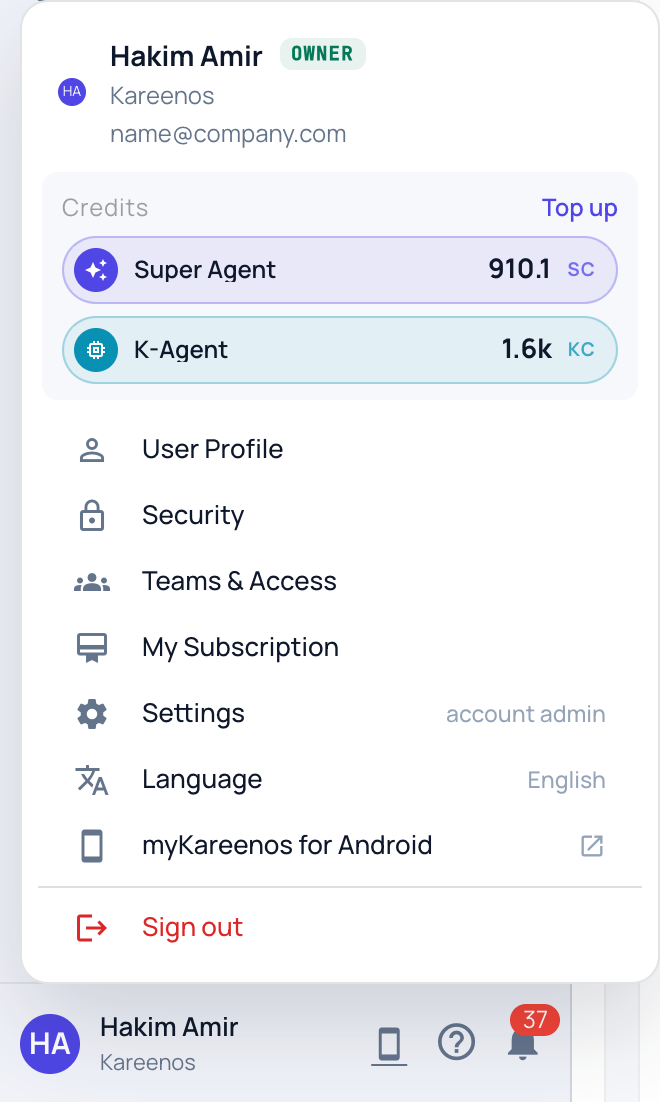
Your Super Agent balance sits at the right of the top bar; click it to open your subscription. Both balances are in the Credits section of the account menu (click your name at the bottom of the sidebar) with a Top up link, and My Subscription below them opens the full subscription page. Press Open in Kareenos above to go straight there. Builders see the balances; changing the plan is for the account owner.
SC and KC
SC (Super Agent credits) are spent when the builder works for you: describing what you need to the Super Agent and having it design, build or change something.
KC (K-Agent credits) are spent when your own working agents run: answering a customer, processing an inbound message, running a scheduled job that thinks.
Both are whole numbers, and both are topped up from the same place.
Step by step: reading your balance and topping up
- Click your name at the bottom of the sidebar. The two balances under Credits are live.
- Press My Subscription (or open Subscription) for the full picture: your current plan, both balances, and Recent activity showing what was granted and what was spent.
- Press Top up to buy a one-time pack that adds credits to either balance without changing your plan. Packs are bought on top of an active subscription, and the credits appear once payment clears.
- To move to a different plan, choose it on the same page and press Switch to this plan. Your monthly credits are granted when the new plan takes effect.
- Use the billing portal link on that page to update your card and download invoices.
As a rule of thumb, a chat turn or a light task typically costs about one credit. A full project build, where the Super Agent designs several components and writes them, costs considerably more.
When you run out
A run needs at least one whole credit to start. Below that it does not begin, so nothing is half-done and no work is billed: the agent reports that the balance is empty instead of answering. Existing data and everything already built stay exactly as they were. Topping up restores service immediately.
Note
Both importing a project from the Marketplace and running builds need an active plan, not only a credit balance.