Messaging Monitor
Every conversation on your customer channels — WhatsApp, Telegram, SMS and phone — in one place.
On this page
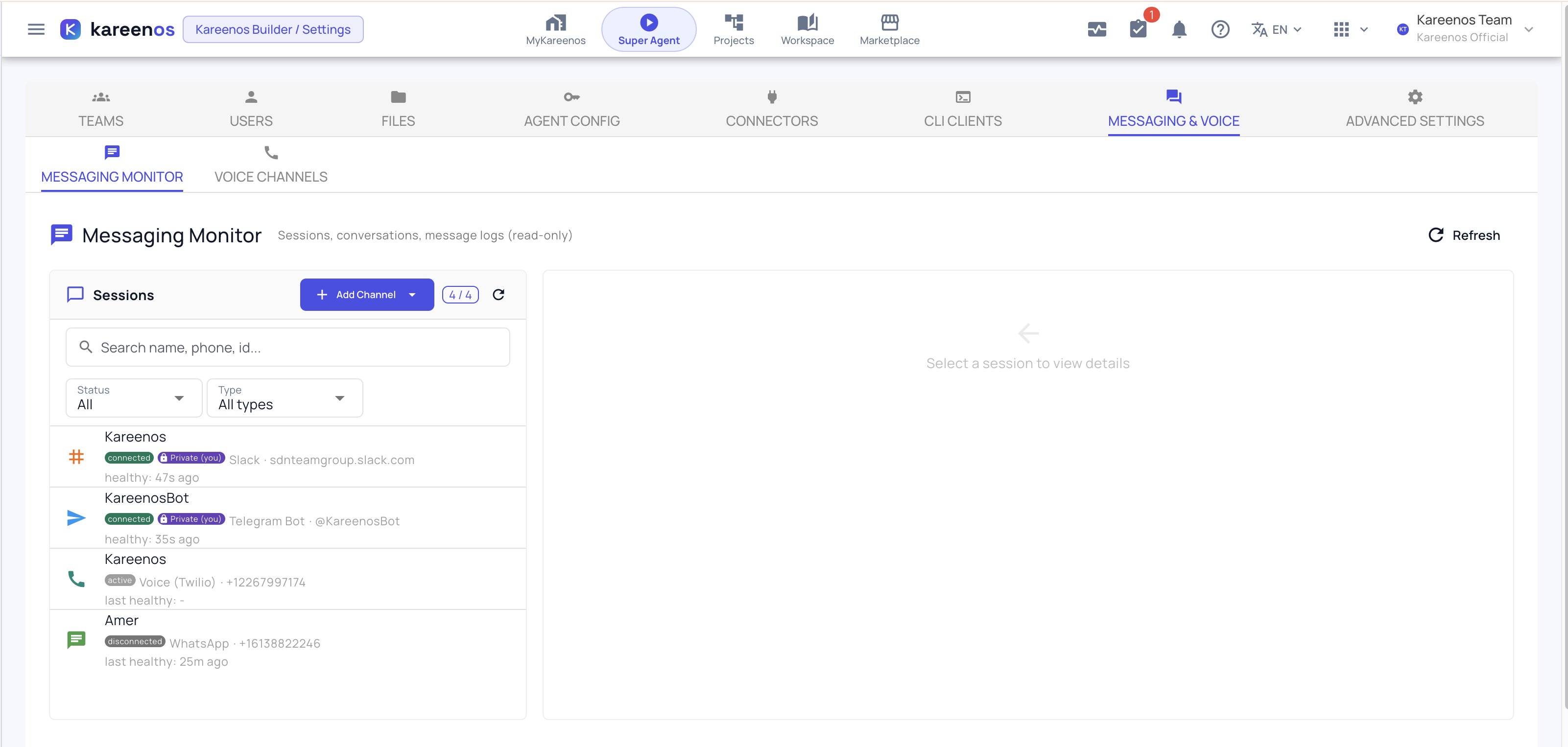
The Messaging Monitor shows everything happening on your customer-facing channels (WhatsApp, Telegram, Slack and phone) in one place.
Where to find it
Press Open in Kareenos above, or open Settings, choose the Messaging & Voice tab, and stay on the Messaging Monitor sub-tab. Settings is for administrators, so if the tab is missing ask whoever manages your account. The same page is where channels are added; see Messaging channels.
When to use it
Use it to check whether a customer actually received a reply, whether a channel has quietly disconnected, and exactly what one of your agents said on a live conversation. It is the page you open when a customer says "nobody answered me".
What it shows
- Which channels are connected, and whether each one is healthy
- The conversations currently running on each channel, with the person on the other end
- The full message log for any conversation, in order, in both directions
- Phone calls alongside written messages, so one customer's history is in one place
Step by step: checking a conversation
- Open the Messaging Monitor and look at the channel list first: a disconnected channel explains most complaints on its own.
- Find the conversation, by channel or by the contact.
- Open it and read the message log from the top.
- Check that outgoing messages left, and when.
- If an agent replied badly, note the time and open K-Agent Sessions to see the reasoning behind that reply.
Important
A healthy channel and a delivered message are two different things. Confirm the channel first, then confirm the individual message, before concluding an agent stayed silent.
Common mistakes
- Reconnecting a channel before reading the log, which loses the evidence of what went wrong.
- Assuming silence means the agent failed, when the conversation was handed to a person and continued elsewhere.
- Editing an agent's instructions after one bad reply without reading the run behind it.