K-Agents
Your working agents: the ones that answer customers, watch for events and do the job day to day.
On this page
K-Agents are your working agents: the ones that do the job day to day, once the Super Agent has built them.
Where to find it
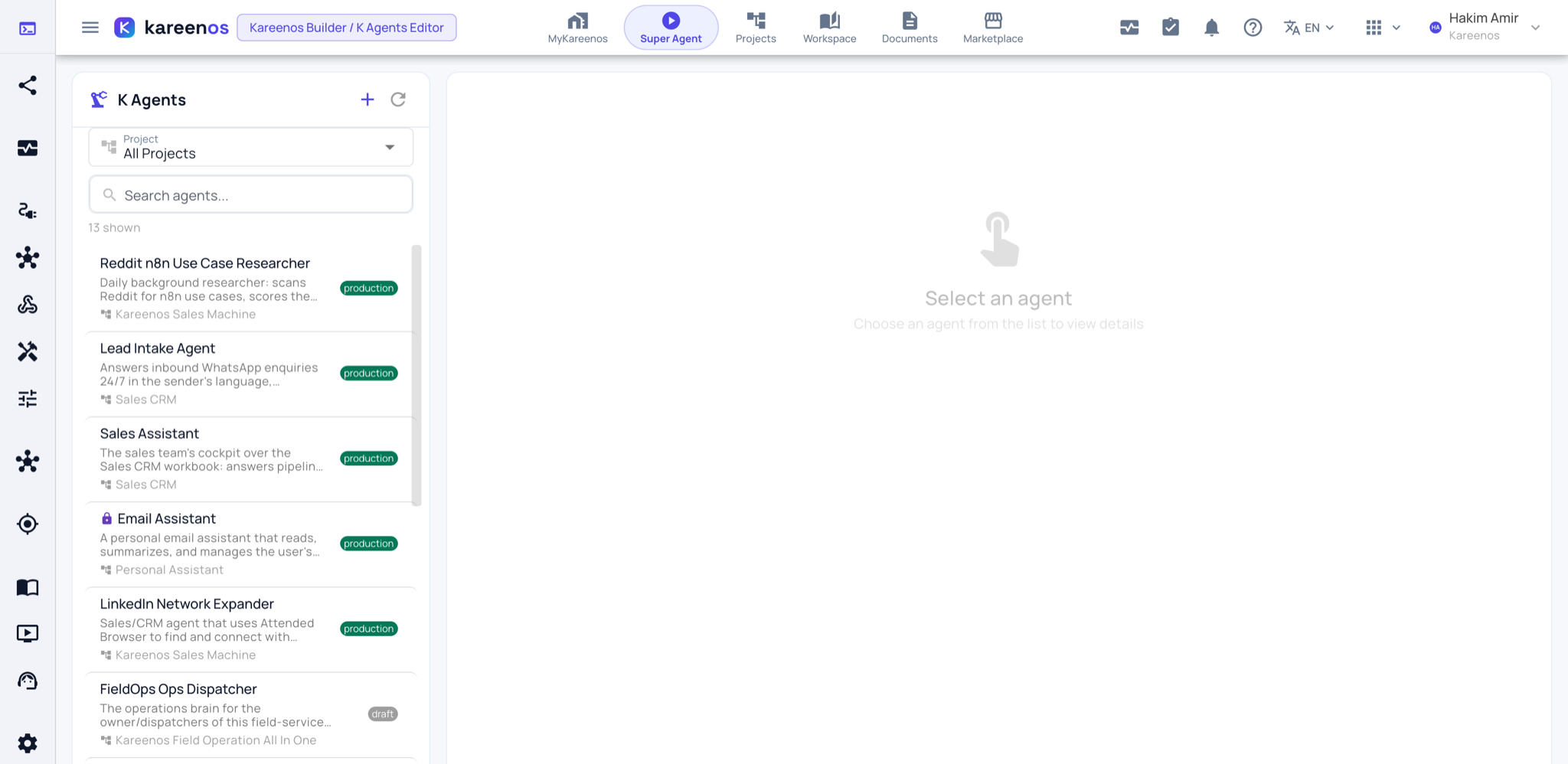
Press Open in Kareenos above to open the K Agents Editor, or open the left menu and choose Editors, K Agents Editor. The editor is for builders with edit rights. Talking to an agent happens in the K Agent Runner (left menu, Agents Prompt, K Agent Runner), or from the agent's own tab in MyKareenos, which any member of the right Team can use.
What one agent is
Each K-Agent belongs to a single Project and has four things of its own: an explicit list of tools it may use, the events it listens for, instructions describing its role, and its own memory of what has happened before.
Some agents are conversational, answering customers or staff. Others run silently in the background and only wake when something happens: a message arrives, a row changes in a workbook, a vehicle enters a zone, or a scheduled time passes.
Agents work as a team
Agents delegate rather than doing everything themselves. An entry agent handles the conversation and hands focused work to specialist skill agents, or to a Job when the work is fixed and deterministic and does not need judgement. An agent can also hand a whole conversation over to a colleague agent when the subject changes.
Important
An agent can only do what it has been explicitly granted. No tool, no workbook and no channel arrives by default.
Step by step: reviewing an agent and talking to it
Open the K Agents Editor. Narrow the list with the Project selector or the search box, then click an agent.
Read the detail on the right: the description, the project it belongs to, its status, and below that its Versions, the Intents it raises, the Subscribed Intents that wake it, and the Tools it holds. The pencil at the top opens the edit dialog; the eye previews it.
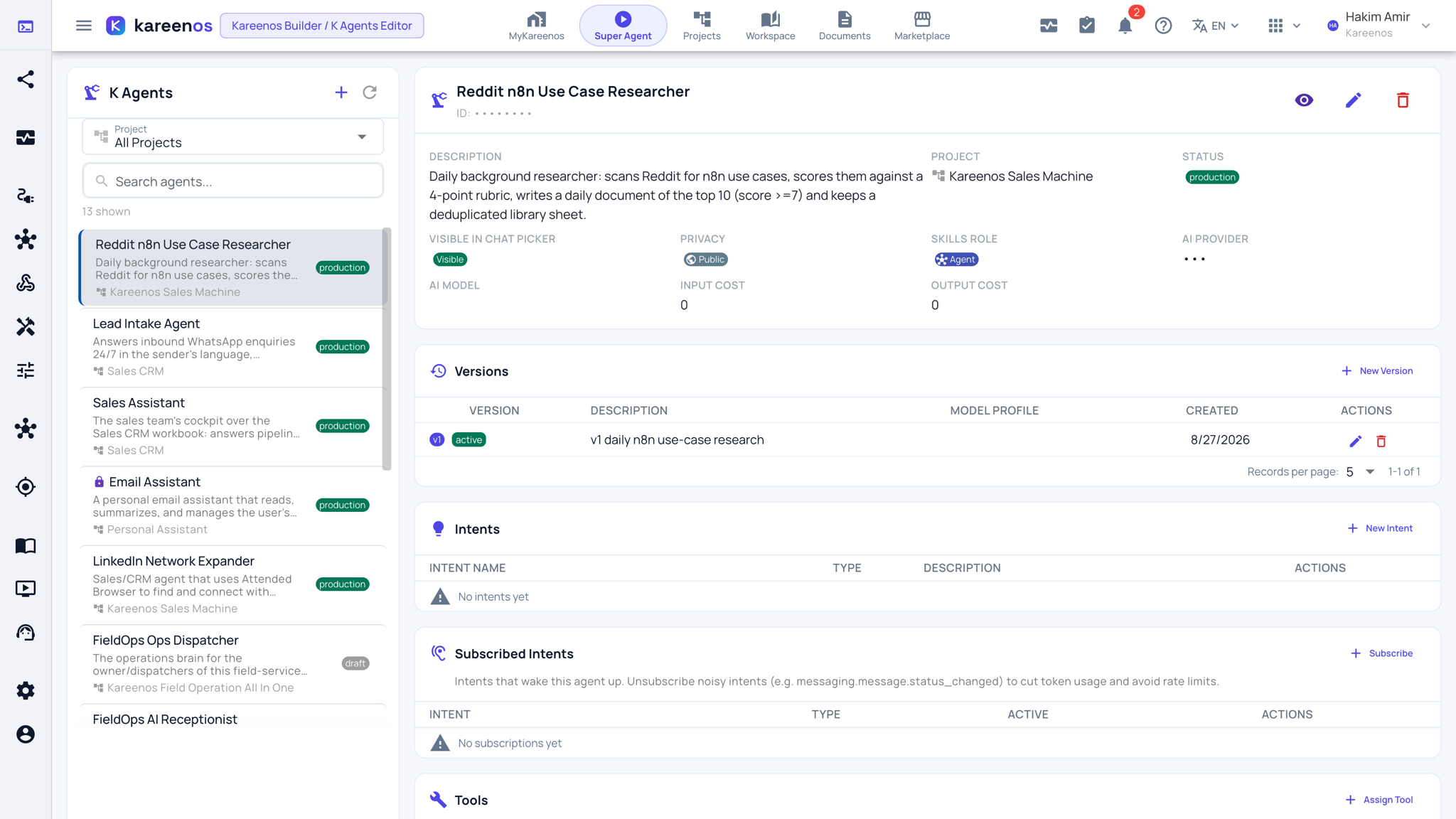
Confirm the role description matches the job, and that the tools and subscribed intents are the ones the job needs, no more.
Open the K Agent Runner, pick the project and the agent at the top, and test it with a real example. Attach a file, or press the microphone to talk to it by voice.
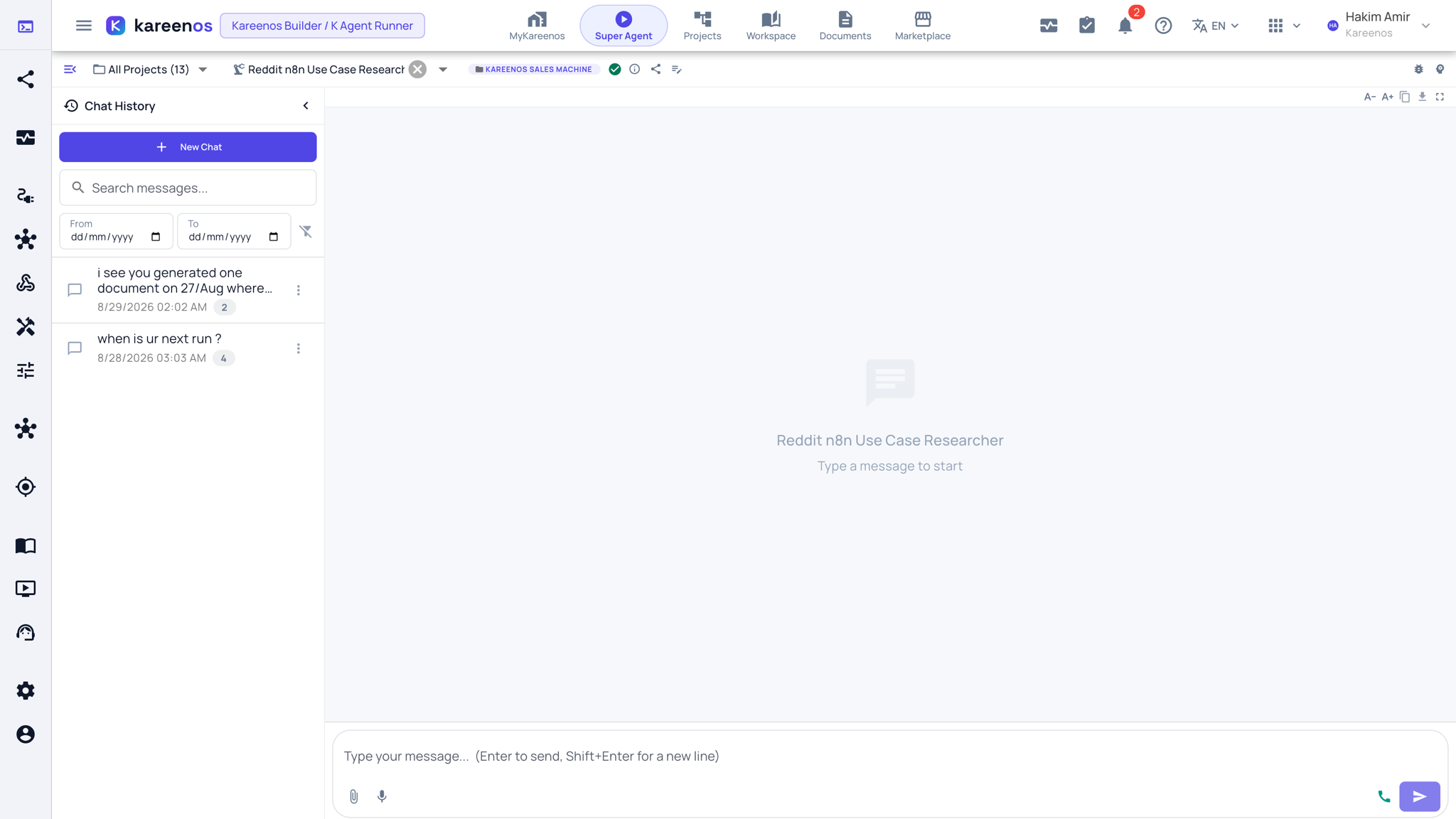
Grant the right Teams access so people can reach the agent from MyKareenos.
Watch the project Logs and K-Agent Sessions for the first live cases.
Common mistakes
- Giving one agent every tool. Narrow agents behave more predictably than broad ones.
- Using an agent for work that never varies. A Job is faster and cheaper for that.
- Expecting an agent to see a workbook or channel it was never granted.